
A recirculation pump brings hot water to your faucets fast, but it also means your water heater has to make more hot water. Tell Cala how your pump runs in the Cala app so it can plan for it.
Add your recirculation pump
-
In the Cala app, tap the menu icon at the top left.
-
Tap SYSTEM INTEGRATIONS.
-
Tap Recirculation Pump. The RECIRCULATION PUMP screen opens.
-
Tap SYSTEM TYPE and choose the option that matches how your pump runs:
- None
- Self Learning
- Timer
- On Demand
- Temperature Based
- Continuous
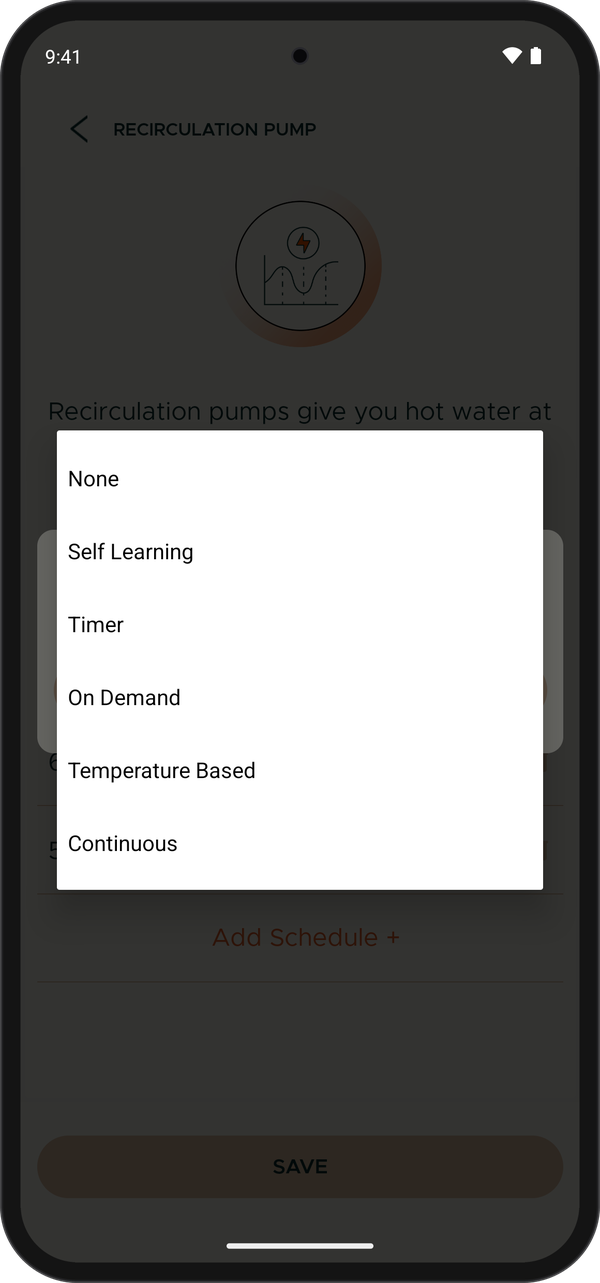
Choose your pump type from the System Type list. -
If you chose Timer, add the times your pump runs. See Add your pump's timer schedule below, then come back to the next step.
-
Tap SAVE. You see "Recirculation pump added successfully" and the app goes back to SYSTEM INTEGRATIONS.
Add your pump's timer schedule
When SYSTEM TYPE is Timer, a Schedule* list appears. You need at least one time window.
-
Tap Add Schedule +.
-
Choose the time your pump turns on (START TIME).
-
Choose the time your pump turns off (END TIME). On Android, tap DONE. The window appears in the list.
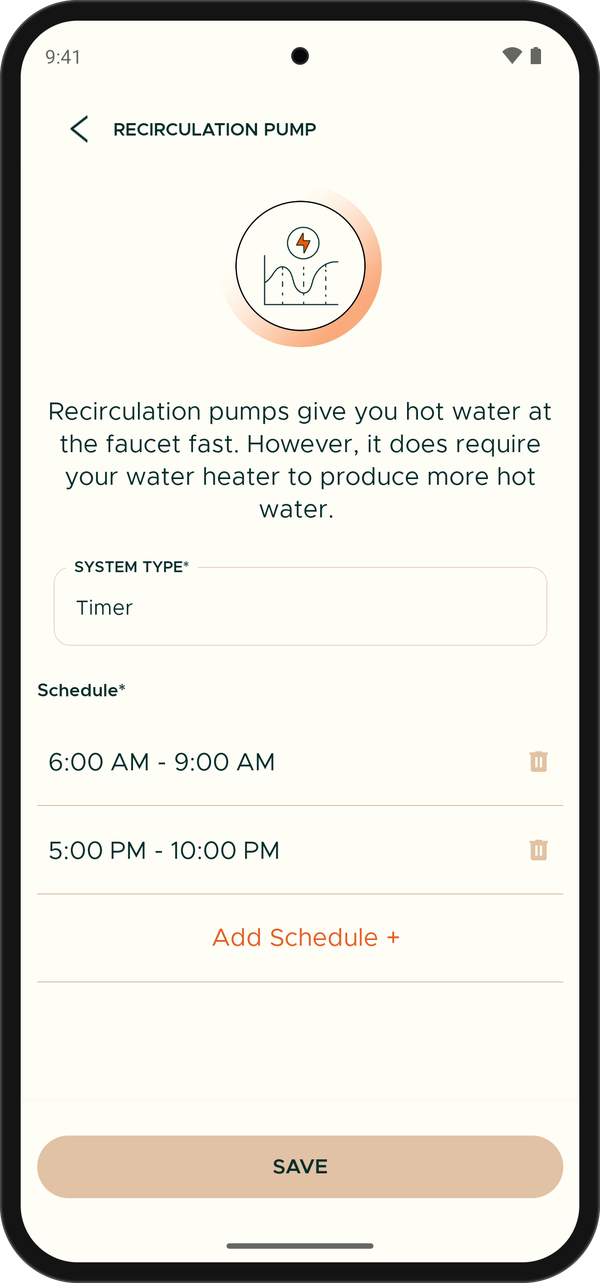
With Timer selected, your schedule windows appear above Add Schedule. -
Repeat for each time your pump runs, for example once in the morning and once in the evening.
To remove a window, tap the trash can icon next to it.
Change your pump settings
-
In the Cala app, tap the menu icon at the top left, tap SYSTEM INTEGRATIONS, then tap Recirculation Pump. Your saved settings show, greyed out.
-
Tap EDIT. You can now change the system type and the schedule.
-
Make your changes, then tap SAVE. You see "Recirculation pump updated successfully".
If you remove your pump, change SYSTEM TYPE to None and save.
Recirculation pumps and vacation alerts
A recirculation pump moves water through your pipes even when nobody is home, which can set off vacation alerts. When a home has a recirculation pump and you turn on Vacation alerts, the app shows "This home has a recirculation pump" and recommends leaving the alert off unless you turn your pump off while you're away. Tap TURN ON ANYWAY to turn it on, or Cancel to leave it off. See Notifications and alerts.