
Going away? Add a vacation in the Cala app and Cala pauses heating while you're gone, then starts again on its own so you come home to hot water.
Add a vacation
-
In the Cala app, tap the menu icon at the top left, then tap VACATIONS. The VACATIONS screen opens and lists any vacations you've already planned.
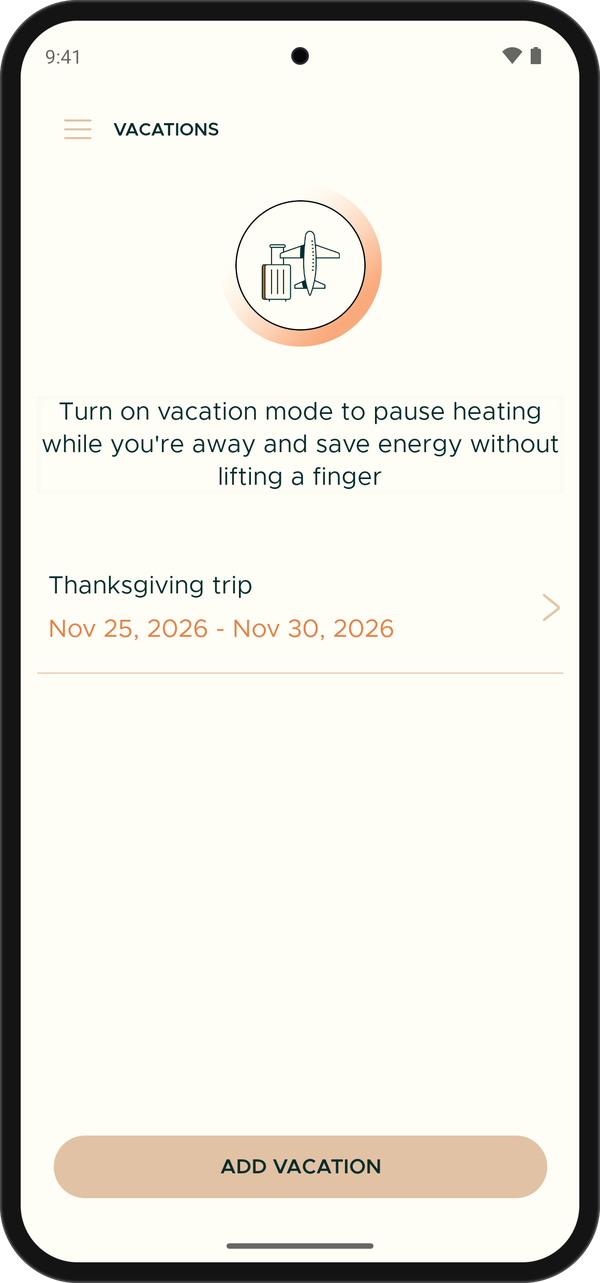
VACATIONS lists the vacations you have planned. -
Tap ADD VACATION. The ADD VACATION screen opens.
-
In NAME, type a name for the trip, for example "Summer at the lake". Each vacation in a home needs its own name.
-
Tap DEPARTURE and pick the date and time you won't need hot water any more.
-
Tap RETURN and pick the date and time you'll be back. It must be after your departure and in the future.
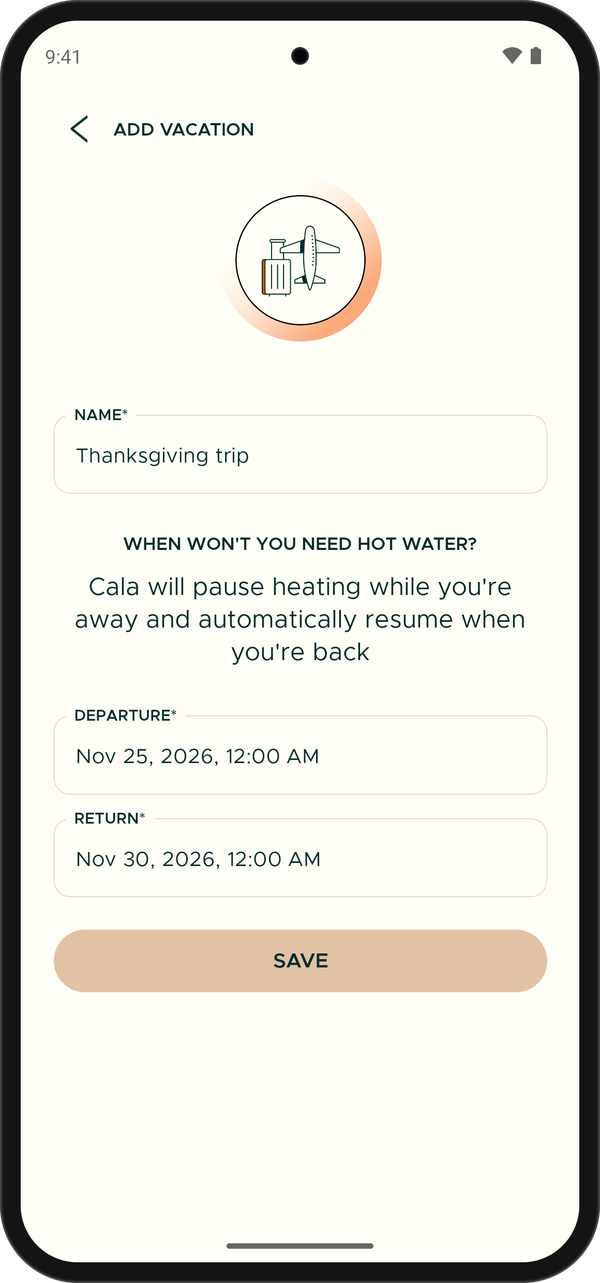
Name your vacation and set the departure and return dates. -
Tap SAVE. You're taken back to VACATIONS, and your trip shows in the list with its dates.
What happens while you're away
- From your departure time, Cala pauses heating to save energy.
- Before your return time, Cala uses the heat pump to heat the water again. It starts early enough to kill any harmful bacteria in the tank before you get home.
- While the vacation is on, an ON VACATION UNTIL banner with your return date shows at the top of the app's Home screen. Tap it to see when normal heating resumes.
- Back early? On the Home screen, tap COMING HOME EARLY?, then tap END VACATION. Your water heater starts warming back up right away.
- Quiet hours aren't shown on the Home screen during a vacation.
Change or cancel a vacation
-
In the Cala app, tap the menu icon at the top left, then tap VACATIONS.
-
Tap the vacation you want to change. A screen titled "Editing" and the vacation's name opens.
-
Change the NAME, DEPARTURE or RETURN, then tap UPDATE. You're taken back to the list with the new dates.
-
To cancel the vacation instead, tap the trash icon at the top right. The vacation is removed from the list.
Get an alert if water is used while you're away
Turn on Vacation alerts and Cala lets you know if hot water is used while your home is in vacation mode. The alert reads "Home early?". See Notifications and alerts to turn it on.