
Quiet hours tell Cala when to run more quietly, like while you sleep or during a baby's nap. Each quiet period has its own times and days.
Add a quiet hours period
-
In the Cala app, tap the menu icon at the top left.
-
Tap SYSTEM INTEGRATIONS.
-
Tap Quiet Hours. If your home has more than one Cala, choose the heater you want: quiet hours are set for each heater on its own.
-
The QUIET HOURS page lists any periods you already have. Tap SET A NEW QUIET HOUR PERIOD.
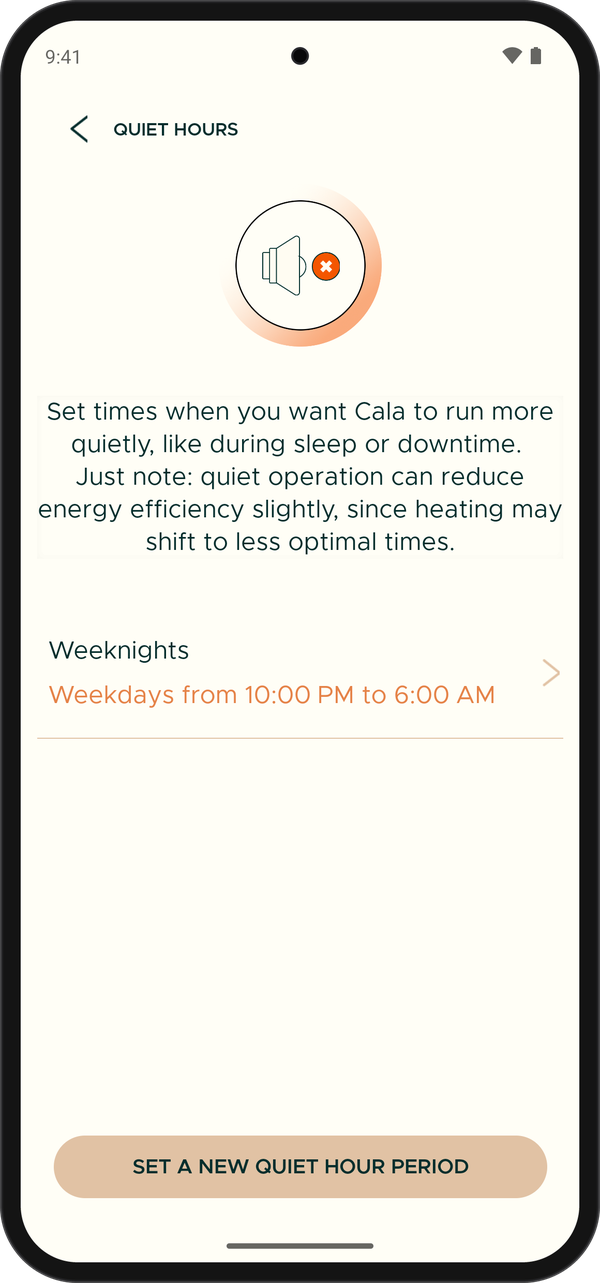
A saved quiet hours period. -
On ADD QUIET HOURS, enter a NAME, such as "Bedtime". Each period on a heater needs its own name.
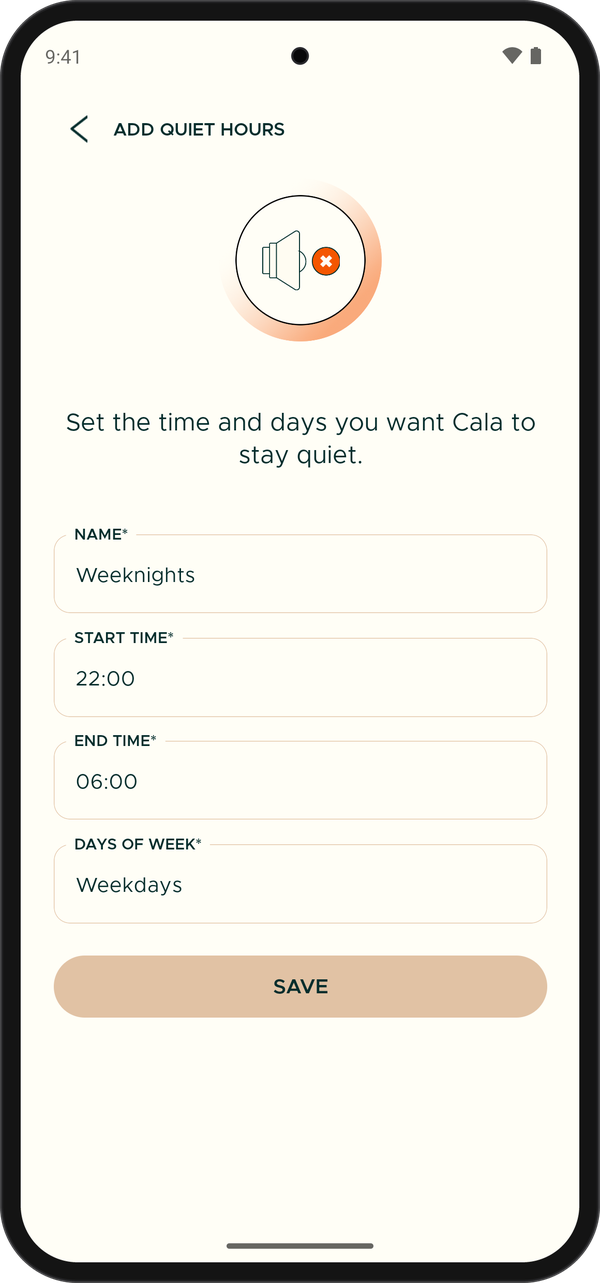
Set the days and times for quiet hours. Times are in 24-hour format. -
Tap START TIME and choose when the quiet period begins.
-
Tap END TIME and choose when it ends.
-
Under DAYS OF THE WEEK, tap each day the period should apply. Pick at least one.
-
Tap SAVE. You're back on the QUIET HOURS page and your new period is in the list, with its times and days.
Change or delete a period
-
In the Cala app, go to SYSTEM INTEGRATIONS > Quiet Hours and tap the period you want to change.
-
Change the name, times or days.
-
Tap UPDATE to save your changes.
To delete a period, open it and tap the trash icon in the top right corner.
See when quiet hours are on
During a quiet period, a quiet hours icon shows above the tank on the Home screen. Tap it to see Quiet hours until and the time it ends. See Get to know the Home screen.
Quiet hours don't apply while a vacation is on. See Plan a vacation.