Today we're making Home Assistant support available for every connected Cala water heater.
No waitlist. No beta signup. If your Cala is online, the firmware is already on your device.
Over the last few months, a small group of beta users has been helping us test and refine the integration. Thanks to their feedback, we're excited to move it into general availability.
If you were part of the beta, nothing changes—you already have the version we're releasing today. If you're just getting started, this post will show you what you can do and how to get connected.
Your Water Heater Is Now Part of Your Smart Home
Cala was designed to make hot water automatic. Most homeowners never need to think about their water heater—and that's exactly how it should be.
But many of our customers also build highly connected homes. They already use Home Assistant to coordinate solar, batteries, EV chargers, lighting, HVAC, and energy management. They wanted Cala to become part of that ecosystem. Now it is.
With the Home Assistant integration you can:
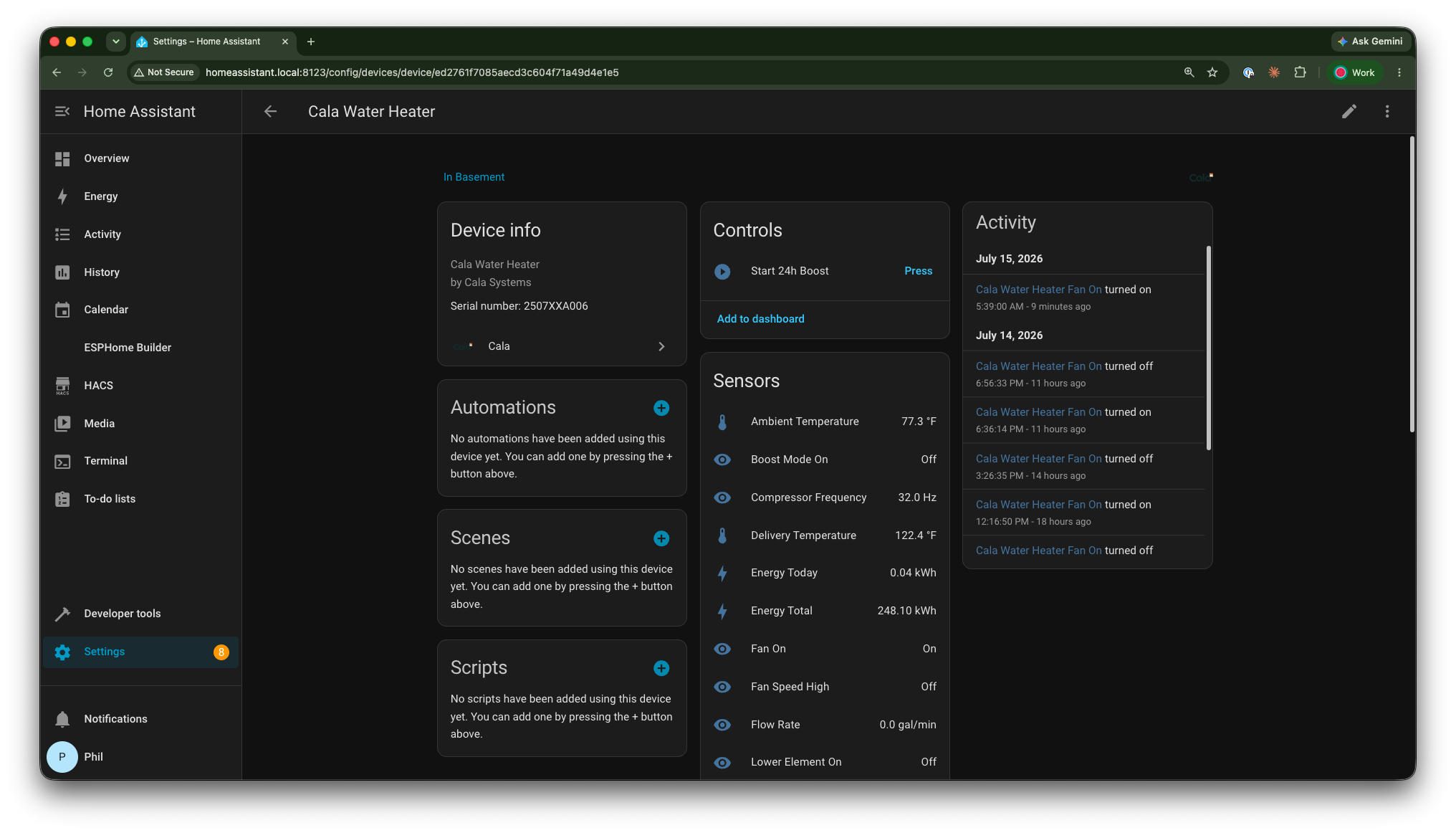
- Monitor your water heater in real time, including tank temperatures, compressor activity, energy consumption, water availability, flow rate, and more.
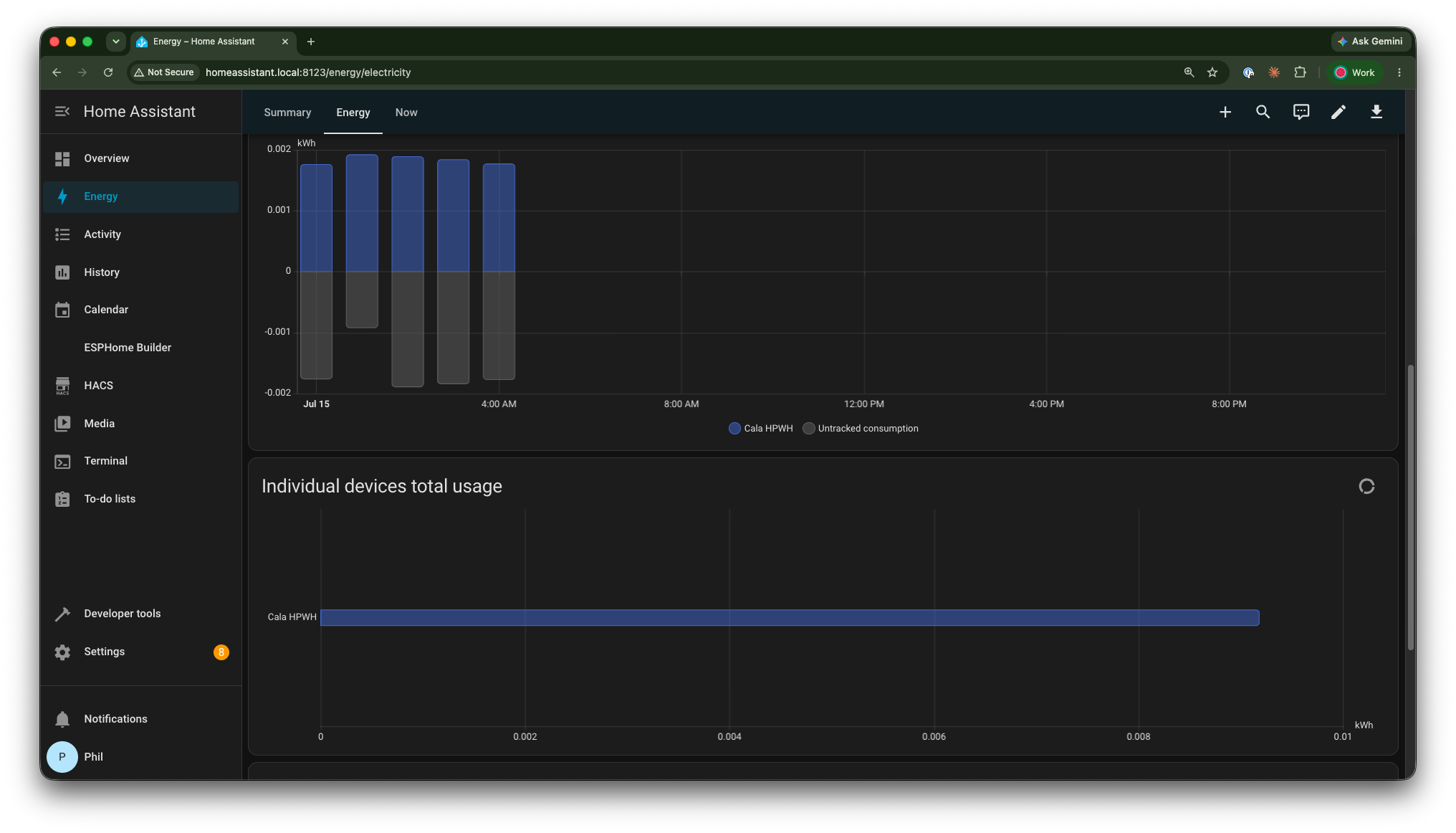
- Track Cala alongside your home's other energy systems in the Home Assistant Energy Dashboard.
- Start or stop Boost Mode directly from Home Assistant, automations, dashboards, or voice assistants.
- Share solar production and battery state of charge with Cala so it can incorporate that information into its heating schedule.
- Keep everything local using MQTT—without routing operational control through Cala's cloud.
Home Assistant support is another step toward our vision of intelligent home infrastructure. Cala isn't just a water heater—it coordinates with the rest of your home's energy systems, including solar, batteries, dynamic electricity pricing, and now one of the most popular home automation platforms available. As more homes become connected, we believe essential appliances should work together seamlessly rather than operate in isolation.
That's exactly what this integration enables.
Why We Built It
From day one, Cala has been designed to optimize itself. You shouldn't need to manually manage your water heater to get exceptional performance. At the same time, we recognize that many technically minded homeowners want deeper visibility and greater integration with the rest of their home.
That shaped three core design decisions.
Local first
Home Assistant communicates directly with your Cala over MQTT on your local network. Control doesn't depend on a cloud connection.
Energy aware
Cala already knows how to optimize around solar production, time-of-use pricing, and other external signals. Home Assistant makes it possible to connect those signals from virtually any compatible energy system.
Secure pairing
During setup, your MQTT credentials never leave your network unencrypted. Home Assistant encrypts them using a key derived from the pairing code shown on your Cala, ensuring only your device can decrypt them.
What You'll See After Pairing
Once paired, Home Assistant automatically creates a Cala device with dozens of entities, including:
- Tank temperatures
- Water available
- Compressor frequency
- Power consumption
- Energy today
- Lifetime energy usage
- Water usage
- Ambient temperature
- Diagnostic information
You'll also gain controls for Boost Mode and status indicators showing whether the compressor, fan, or backup heating elements are running. Rather than reproducing every available entity here, we've documented the complete list in our installation guide.
Designed for a Connected Home
One feature we're particularly excited about is the ability to share your home's energy context with Cala.
If your Home Assistant installation already tracks solar production or battery state of charge, you can map those entities into Cala.
Cala uses this information as advisory input when planning water heating. Rather than accepting direct operating commands, it continues making its own heating decisions while taking your home's available energy into account.
This keeps Cala autonomous while allowing it to better coordinate with the rest of your home's energy systems.
Getting Connected
Getting started takes just a few steps:
- Install an MQTT broker (if you don't already have one).
- Install the Cala Home Assistant integration.
- Generate a pairing code from your Cala.
- Pair your device.
- (Optional) Connect your solar and battery entities.
We've published a complete installation guide covering every step, including screenshots, troubleshooting, and advanced configuration.
→ Read the complete installation guide
What's Next
We're already exploring additional capabilities, including:
- Time-of-use tariff synchronization
- Automatic Vacation Mode integration
- Additional Home Assistant automations
Like every part of Cala, this integration will continue evolving based on customer feedback.
If there's something you'd like to see, let us know by opening an issue on GitHub or contacting our team.